
 Join our Discord
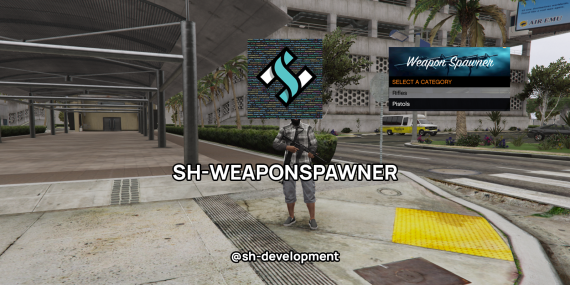
sh-weaponspawner
Overview:
A customizable weapon spawner for FiveM servers. Authorized players can open a menu to spawn weapons from categories, with ACE permission checks.
Features:
- ACE permission-based access for menu and categories.
- Customizable menu: title, colors, width, position, background image.
- Weapon categories with configurable ammo.
- Keybind to open menu (default: F6).
- Auto-close menu after selection.
- Secure server-side validation.
- Debug mode for troubleshooting.
Requirements:
- WarMenu: Download from [GitHub](https://github.com/warxander/warmenu) and install as a resource. (Start before script)
Installation:
1. Download and place the script folder in your `resources` directory.
2. Ensure `WarMenu` is started before the script in `server.cfg`.
3. Add `ensure sh-weaponspawner` to `server.cfg`.
4. (Optional) For custom background, add YTD file to `stream/images.ytd`.
5. Restart server.
Configuration:
- `Debug`: Enable/disable debug prints.
- `Keybind`: Menu key (e.g., `'F6'`).
- Menu options: `MenuTitle`, colors (RGBA), `MenuWidth`, `MenuX`, `MenuTitleBackgroundImage`.
- `CloseMenuOnWeaponGrab`: Auto-close on selection.
- `Weapons`: Add/modify categories and weapons, e.g.:
Config.Weapons = {
{ name = "pistols", list = {
{label = "Pistol", value = "WEAPON_PISTOL", ammo = 250},
}},
}
- Permissions: `EnablePermissions`, `OpenPermission`, `AllCategoriesPermission`, `CategoryPermissions` (match category names).
Usage:
- Press keybind (F6) to open menu if authorized.
- Select category and weapon to equip.
Permissions:
In server.cfg or permissions system:
- Menu open: add_ace group.admin "weaponspawner.open" allow
- All categories: add_ace group.admin "weaponspawner.all" allow
- Category: add_ace group.admin "weaponspawner.rifles" allow
Disable checks with EnablePermissions = false.
Troubleshooting:
- Menu not opening: Check debug (set Debug = true), WarMenu, permissions.
- Weapon not spawning: Verify hashes, server debug for issues.
- Image issues: Ensure YTD streamed.